
A calmer queue from scan to service.
SaffQ keeps patient arrival simple while giving healthcare teams the operational controls they need across facilities.
QR check-in without accounts
Patients scan the clinic’s arrival code and receive a token in the browser. No patient app, no account setup, no extra desk bottleneck.
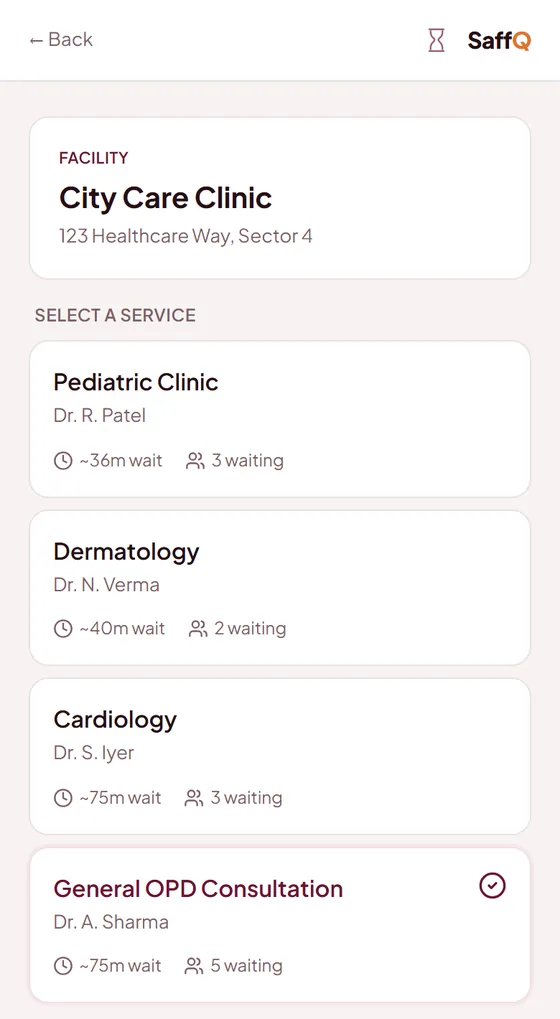
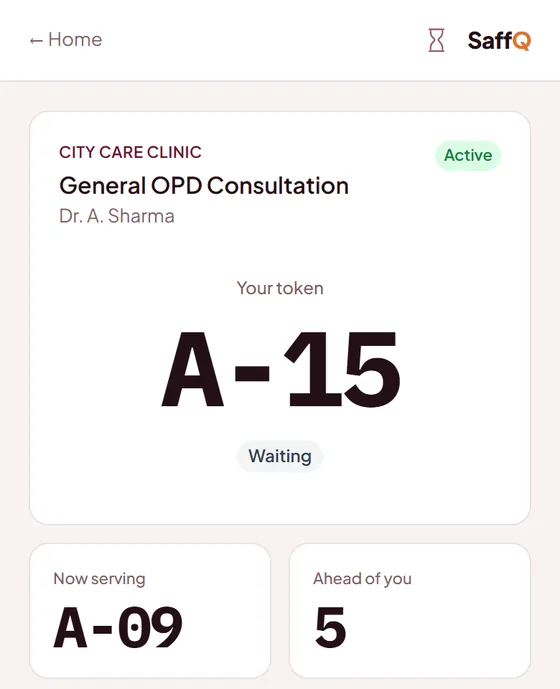
Live tracking from any phone
Patients see queue movement and rough timing in the browser, so reception is not flooded with status questions.
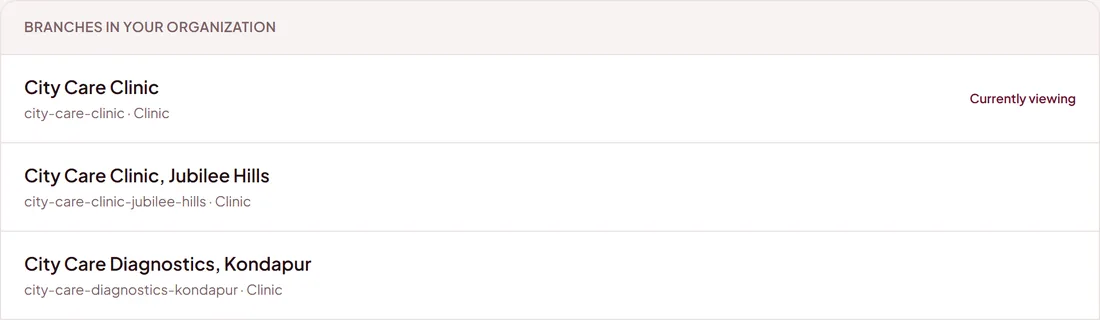
One org, many facilities
Branch-level teams operate locally while central admins keep oversight across clinics, diagnostic centers, or hospital departments.
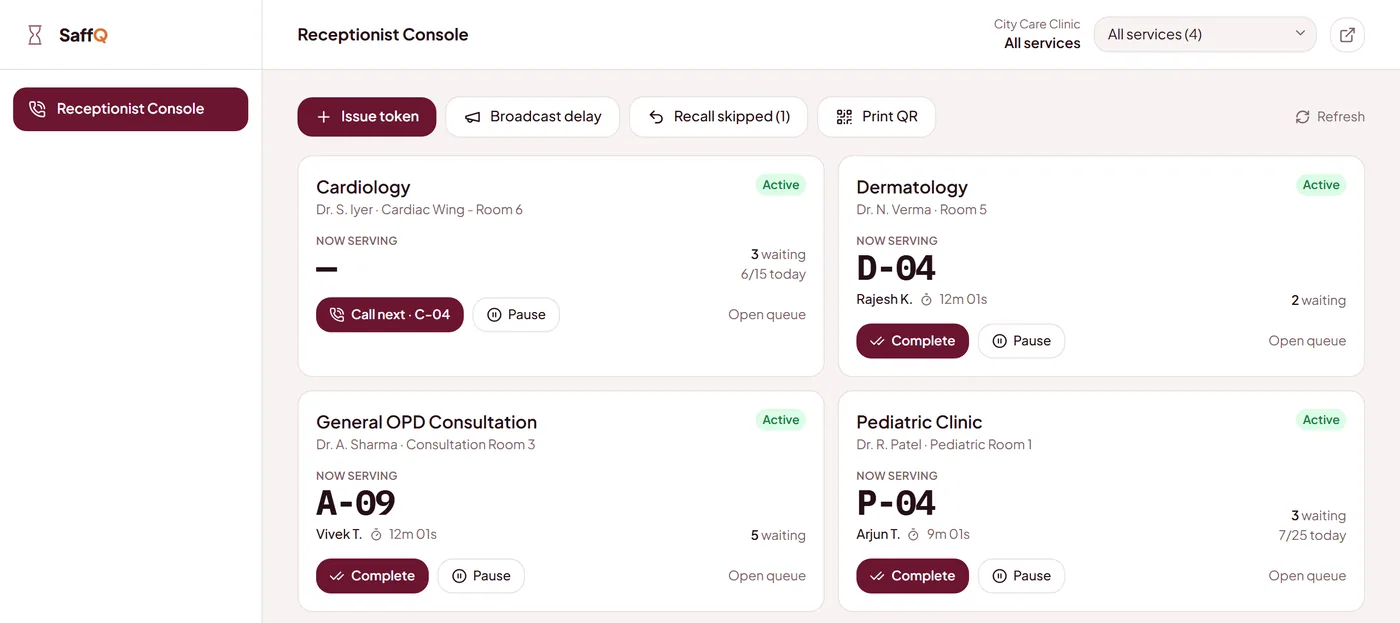
Role-based staff console
Admin, receptionist and provider roles help teams move fast without exposing the wrong facility controls.
Waiting-room TV display
A public queue board keeps the physical room informed without exposing private patient details. It shows in English, Hindi, Telugu or Urdu, and can rotate between them.
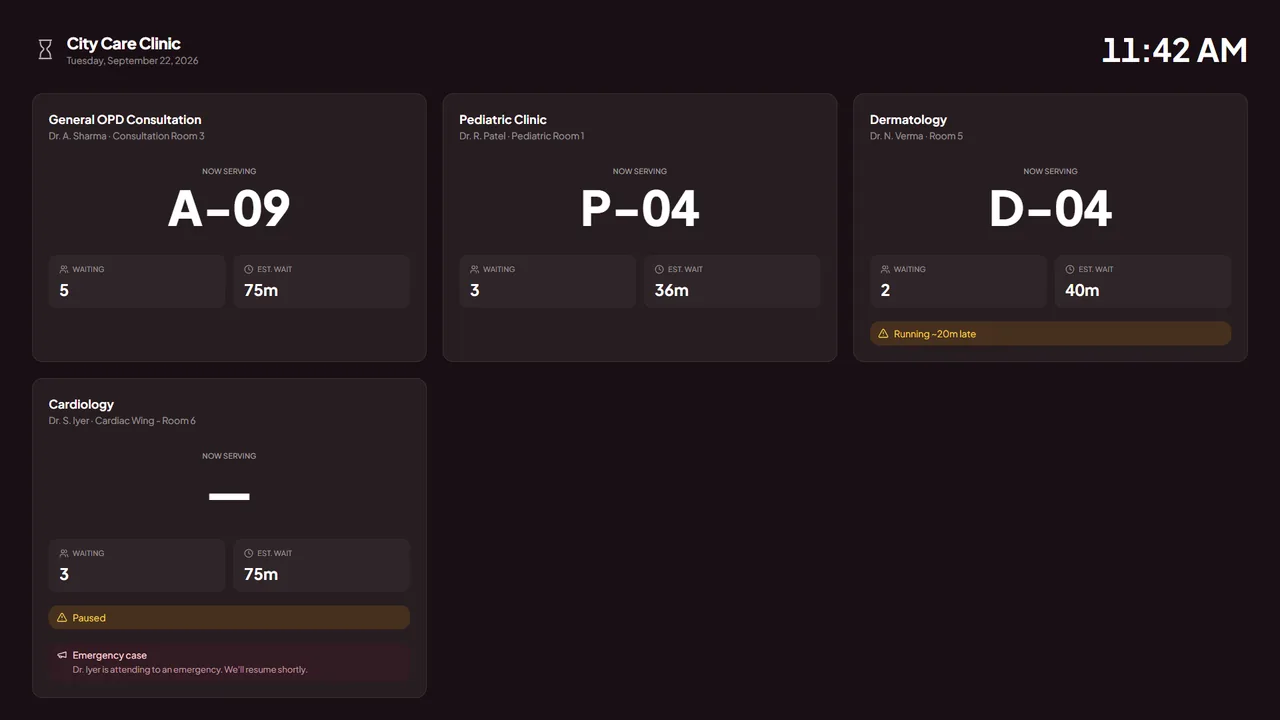
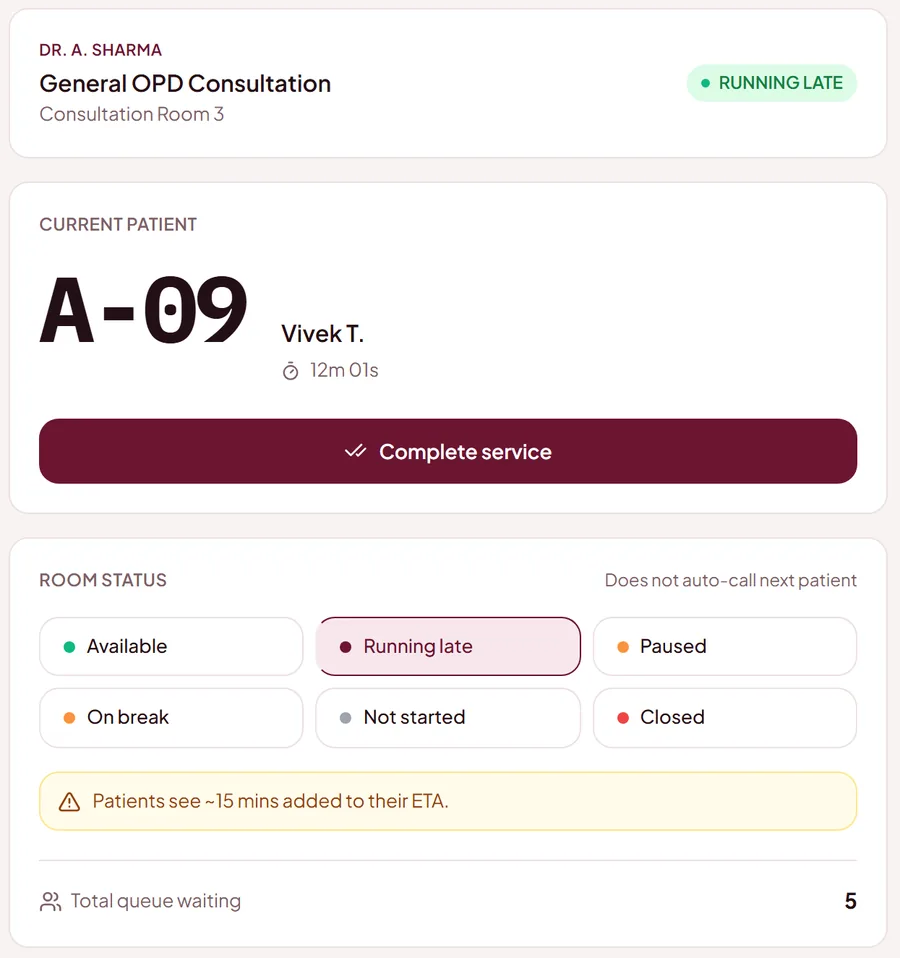
Provider status that keeps ETAs honest
When a provider is running late, paused, or on break, patients see a more realistic queue instead of a false promise.
Daily reports
See each day in numbers: tokens from QR and from walk-ins, how many were completed, cancelled or skipped, the average wait and visit time, the busiest hour, the fees collected, and each doctor on their own. Look at one day, or up to 31. At the end of the day, download it as an Excel or PDF file with every token, patient, doctor and payment, for the whole clinic or one doctor.
Patient ratings after the visit
A short while after the visit, patients get a WhatsApp message asking how it went. One tap: Great, Okay or Not good. The share of good ratings shows in your daily report, so you hear how the day felt without asking anyone.
Found by new patients
When your clinic goes live it is listed, free, on the Find a Doctor page. Patients search by hospital, doctor or department, check timings, and take a token online, even on a first visit.
Fees, recorded at the desk
Set each doctor’s consultation fee once, and change it whenever it changes. Reception sees who has paid and who has not next to every patient, taps Paid when the fee is handed over, and can adjust the amount or give a discount. Paying never changes anyone’s place in the queue, and a refund can be marked too. It is a record for your accounts: SaffQ does not take payments, and how patients pay is up to you.
Numbers kept for your own patients
Keep the first few numbers of each doctor’s day for emergencies and for patients you want to look after first. Only reception can issue them, and those patients are always called first. Everyone who books online simply starts after them, so nobody sees a number slipped in between. You can also set when each doctor starts, and online booking opens a few minutes after.
When a doctor has to leave
If a doctor has to leave suddenly, reception or the doctor taps one button. The room closes, and the waiting patients are moved to another doctor in the same order (their place, priority and payment go with them), or cancelled, or kept waiting. Each patient is told by WhatsApp, or by text message, what has happened and what their new number is.