
Less waiting.
Better care.
Your time matters. So does your turn.
SaffQ helps clinics, hospitals, diagnostic centers run calmer queues with QR check-in and live arrival guidance.
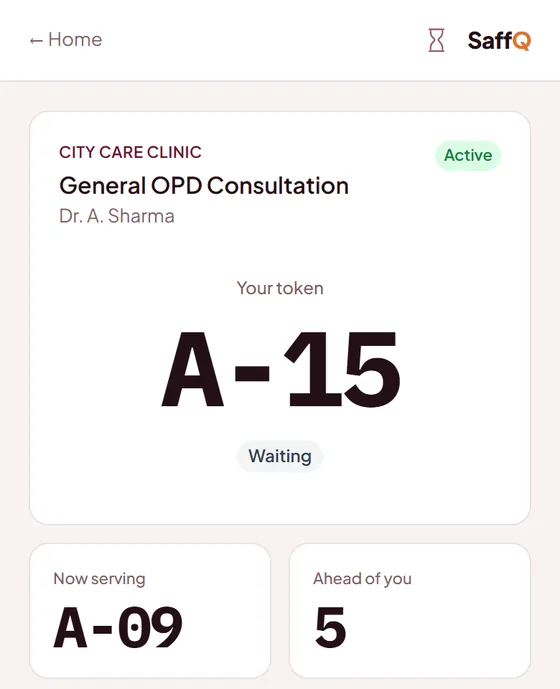
Waiting rooms feel out of control.
Patients don’t know how long the wait is. Staff spend half their day answering the same question.
- Crowded reception areas
- No idea how long the wait really is
- Staff stuck repeating status updates all day
SaffQ turns arrival into a clear flow.
Patients scan a QR code, follow their queue from a browser, and return when their turn is close. Staff keep control without asking patients to install anything.
Four steps, no app.
What a patient does, and what your desk sees, from the first scan to “your turn”.
- 1
Scan the QR
At reception, or from a link on your website. Any phone browser.
- 2
Pick the doctor, enter a number
A token number appears at once. No account, no download.
- 3
Wait anywhere
Live position and an honest estimate on the phone; a WhatsApp message when the turn is near.
- 4
Reception calls the patient
Phone, waiting-room TV and the desk update together. Running late? Patients see it.
See it step by step
One patient, from booking on a phone to being called, and what reception sees. Screens from our demo clinic; tap one to enlarge.
-
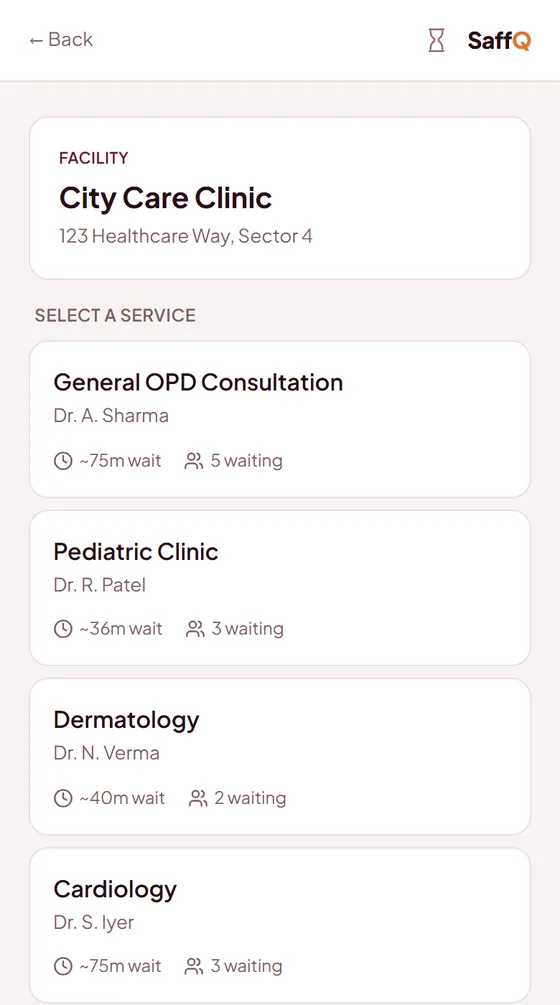 Step 1 · Patient
Scan the QR, pick the doctor
Every doctor is listed with the wait and how many are waiting.
-
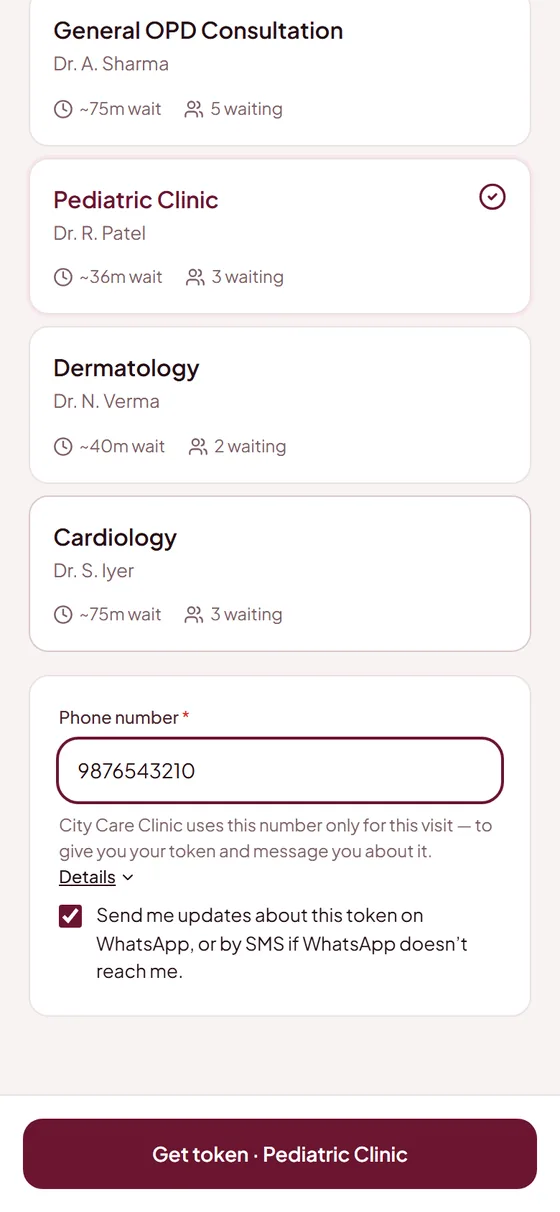 Step 2 · Patient
Enter a mobile number
No +91, no account, no app. WhatsApp or SMS updates are the patient’s choice.
-
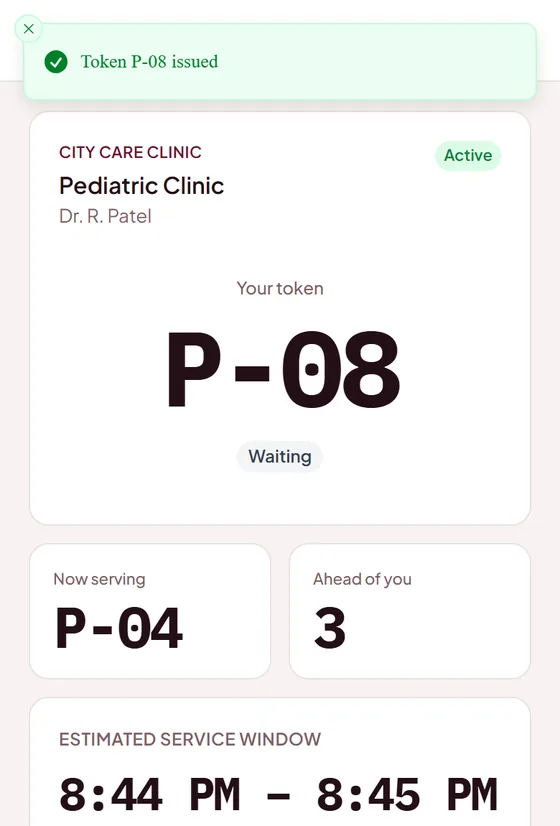 Step 3 · Patient
The token appears at once
Token, people ahead and an estimated time from the doctor’s real pace. A WhatsApp confirmation follows.
-
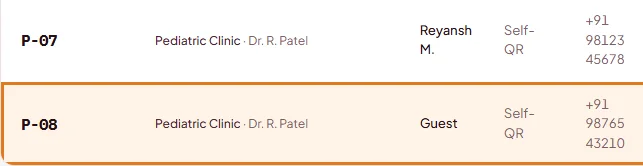 Step 4 · Reception
On the reception desk straight away
The new token joins the console’s queue the moment it’s booked, with the doctor and the number.
-
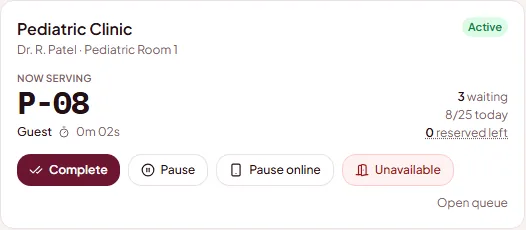 Step 5 · Reception
Reception calls the patient
One tap calls the next patient; the doctor’s card and the waiting-room TV update.
-
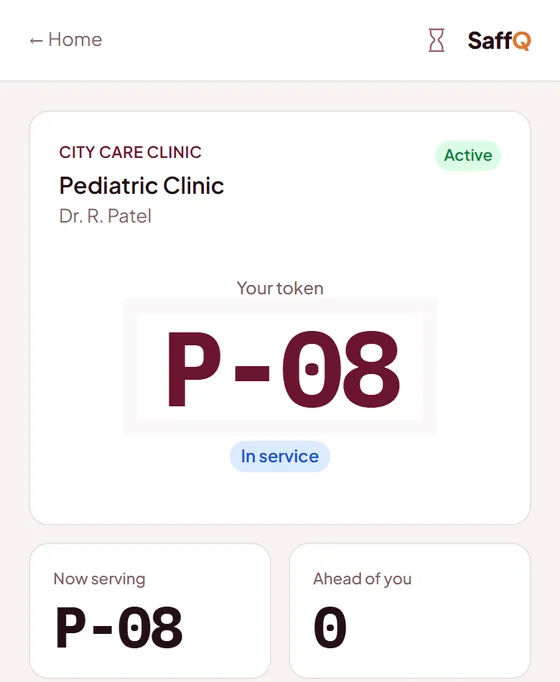 Step 6 · Patient
The patient’s phone updates
The token page changes to “In service” within seconds; a WhatsApp message goes out when the turn is near.
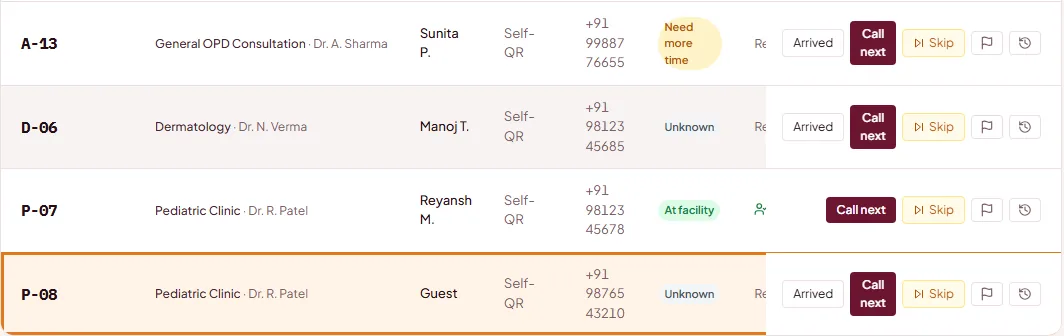
Built for the real front desk.
The flow patients see is simple. The control staff need is still there.
QR check-in
No app or account needed. Patients scan and join from any phone browser.
Live queue tracking
Patients can see progress from anywhere, reducing repeated calls to reception.
Multi-branch support
One organization, many facilities, with org-wide admin oversight.
Role-based console
Admin, receptionist and provider views with facility-scoped access.
Waiting-room TV
A public, big-screen live queue board for the physical waiting room, in English, Hindi, Telugu or Urdu.
Provider status
Running late, paused, or on break. ETAs stay honest when the day changes. How we estimate time →
Daily reports
Tokens, waits, busiest hour, fees and each doctor’s day, for one day or up to 31. Download it as Excel or PDF.
Patient ratings
A one-tap WhatsApp rating after each visit, shown in your daily report.
Find a Doctor listing
Your clinic is listed free, so new patients can find you and take a token. See the listing →
Fees at the desk
Each doctor’s fee, and who has paid, next to every patient. Adjust, discount or refund, and see it in the day’s report.
Reserved numbers
Keep the first numbers of each day for emergencies and your own patients. Everyone else starts after them.
Doctor has to leave
Move the waiting patients to another doctor in one tap, and tell each of them by WhatsApp or text message.
Plans for clinics of any size.
Simple, transparent pricing with no setup fees.
Before you decide.
Do patients need to install anything?
No. They scan a QR code and use their phone’s browser. Reception can also add walk-ins who have no phone at all.
How do patients know when to come back?
Their live page shows position and an estimated time, and a WhatsApp message tells them when their turn is near; SMS is the fallback if WhatsApp can’t deliver. Patients can reply “on my way” or “need more time” and the desk sees it. How the estimate works →
Is this an appointment system?
No. SaffQ runs the live queue for the day: first come, first served, with priority when you need it. Booked time slots are on our roadmap.
What about patient data and the DPDP Act?
SaffQ is designed for India’s Digital Personal Data Protection Act: patients see a short notice before entering a number, names are masked on shared screens, and phone numbers never appear on any public page. Data is used only to run your queue and message the patient.
How long does set-up take?
Within an hour. Add your doctors and staff in the admin console, print the QR poster, and you’re live. Your clinic is listed on Find a Doctor at the same time.
What does it cost?
₹1,499 a month plus GST for a single clinic, or ₹4,999 a month plus GST for several branches — no setup fee either way. See full pricing →
Run a hospital or clinic?
Get listed on SaffQ for free when you onboard, so first-time patients can find and book with you before they even walk in.